

How to add a learning resource
This tutorial guides you through the process of adding a new learning resource to your library.
Step 1: Access the learning hub
-
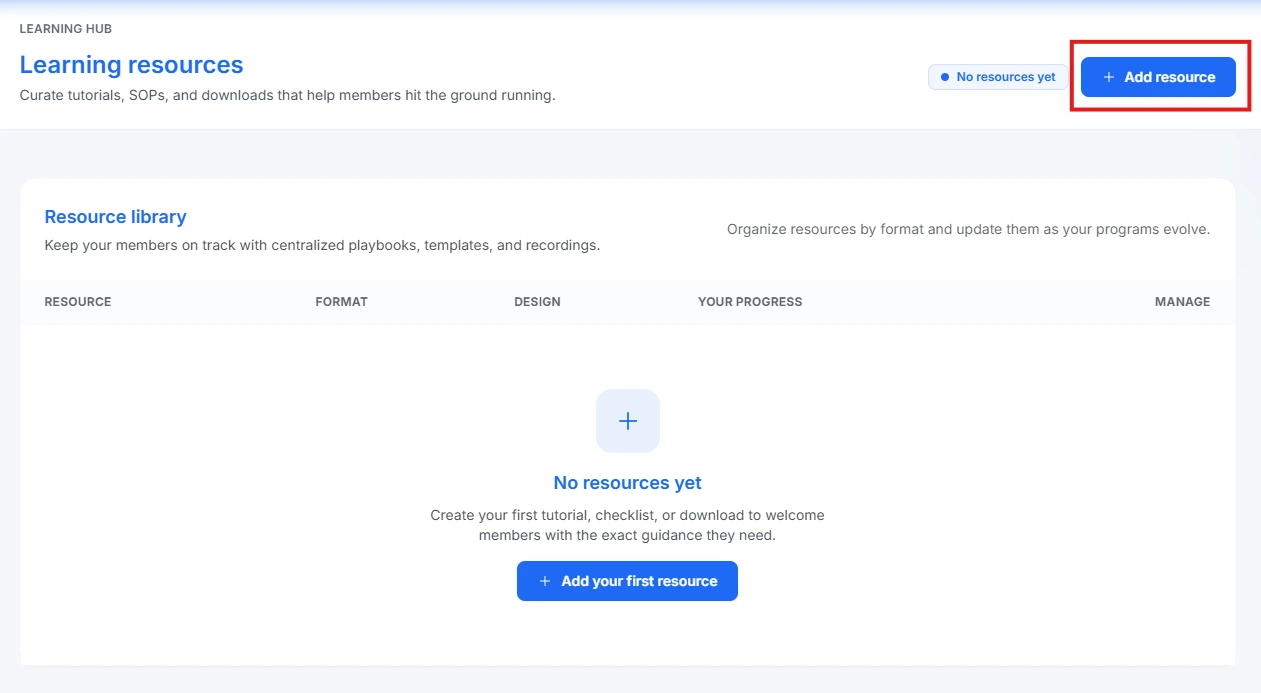
Navigate to the Learning Hub overview screen.
-
Click the + Add resource button, located in the top right corner.
Step 2: Fill out resource details
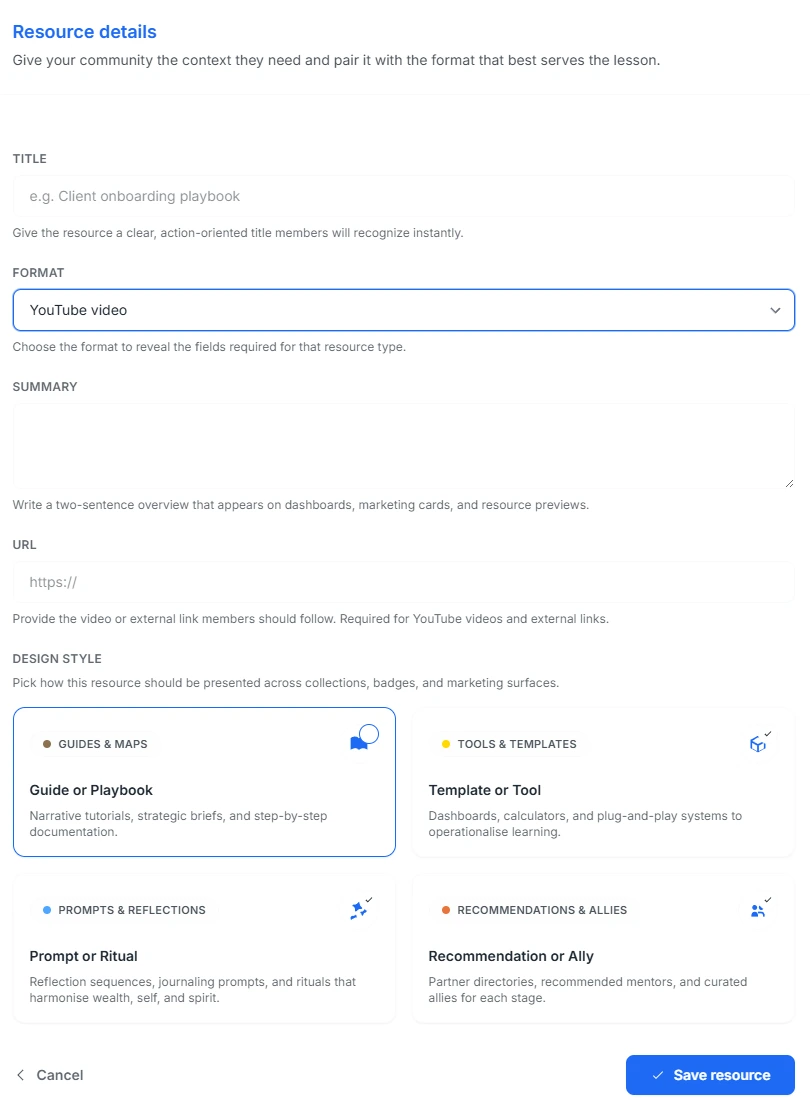
Upon clicking the button, the Resource details form will appear.
A. Enter Title and Format
-
TITLE: Provide a descriptive and clear title (e.g., "Client onboarding playbook").
-
FORMAT: Use the dropdown menu to select the type of resource you are adding.
B. Select Resource Type
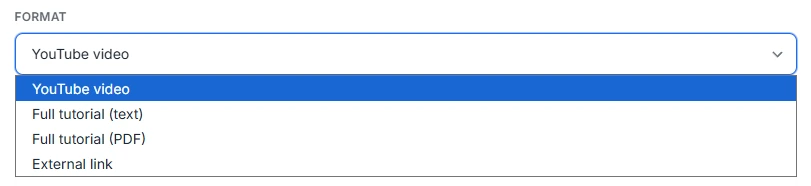
Choose one of the four available formats from the dropdown list:
-
YouTube video (selected in the image)
-
Full tutorial (text)
-
Full tutorial (PDF)
-
External link
C. Complete details and design style
-
SUMMARY: Write a short, two-sentence overview for display on dashboards and previews.
-
URL: If the format is YouTube video or External link, paste the resource URL here.
-
DESIGN STYLE: Select a category that defines the resource's purpose:
- Guides & Maps (Narrative tutorials, playbooks)
- Tools & Templates (Dashboards, calculators)
- Prompts & Reflections (Journaling prompts, rituals)
- Recommendations & Allies (Partner directories, mentors)
Step 3: Save the resource
- Once all required fields are complete, click the Save resource button at the bottom right.
The new learning resource will now be added to your Resource library.